Powered by the Lumoris Clip Engine

Every stream.
One app.

YouTube, Kick and Twitch in a single native desktop app. Rolling live buffer, one-click clips and a full editor, built in.

3Platforms, one app
30 minRolling live buffer
10–200sOne-click clip lengths
NVENCBuilt for NVIDIA RTX GPUs
Process

Connect.
Watch.
Clip.

01

Connect

Sign in once. Your follows, history and settings sync across YouTube, Kick and Twitch.

ONE ACCOUNT
02

Watch

Open any video or live channel. The Clip Engine starts its rolling buffer in the background.

AUTO BUFFER
03

Clip

Something happens. Pick a length and the moment is saved instantly, ready to edit.

ONE CLICK
Platforms

Three platforms,
one home.

Sign in once and switch between YouTube, Kick and Twitch without leaving the window. Follows, history and clips follow you.

01YouTube

YouTube,
unchained.

A clean, fast YouTube client with no clutter. Search, subscriptions, playlists and history, with 4K playback and a native downloader.

  • Subscriptions and history synced to your account
  • Audio-only mode with one-click MP3 export
  • Mini player that follows you around the app
  • Clip any part of any video, straight into the editor
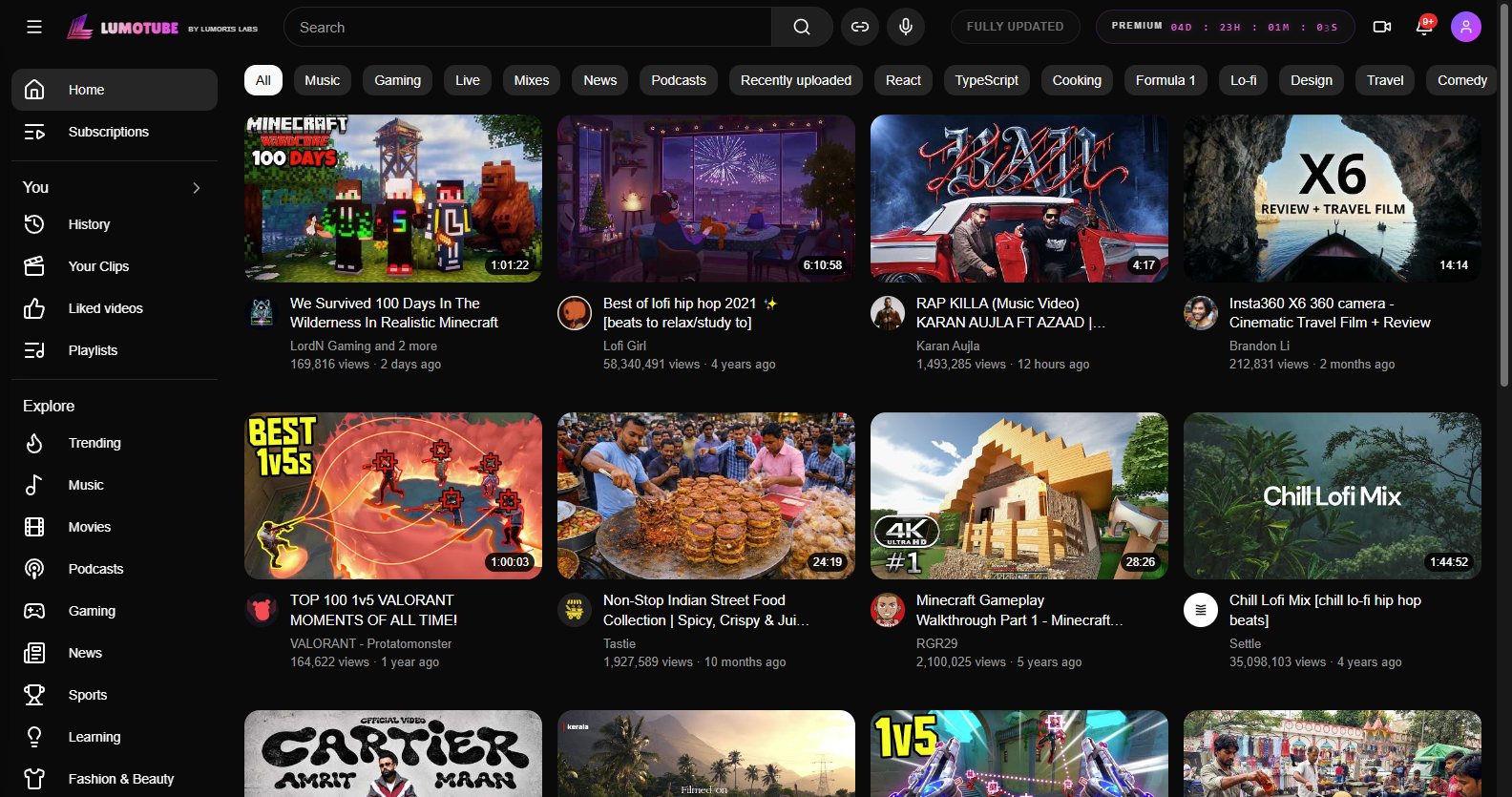
LumoClip YouTube home
02LumoKick

Kick, with
a memory.

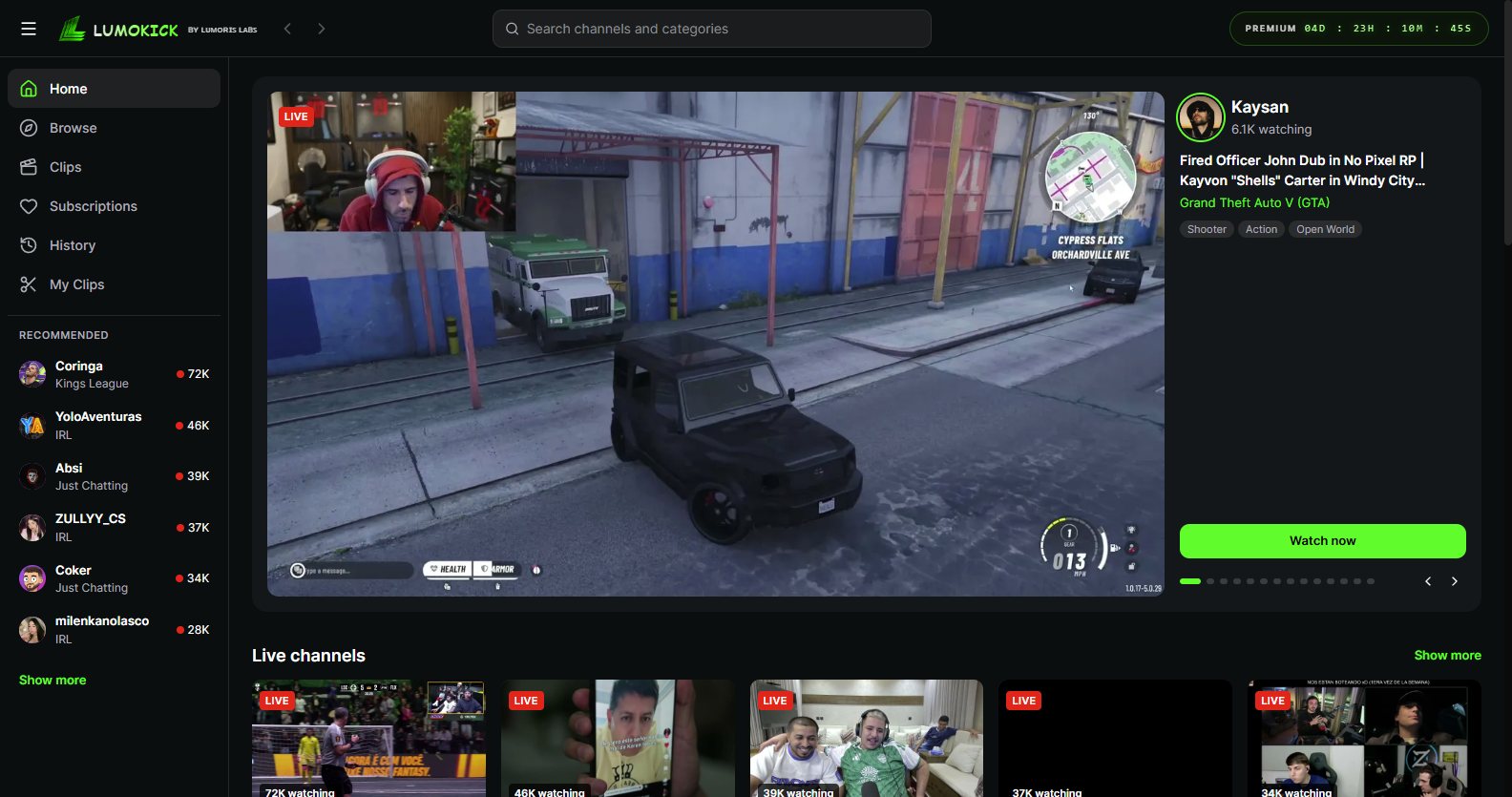
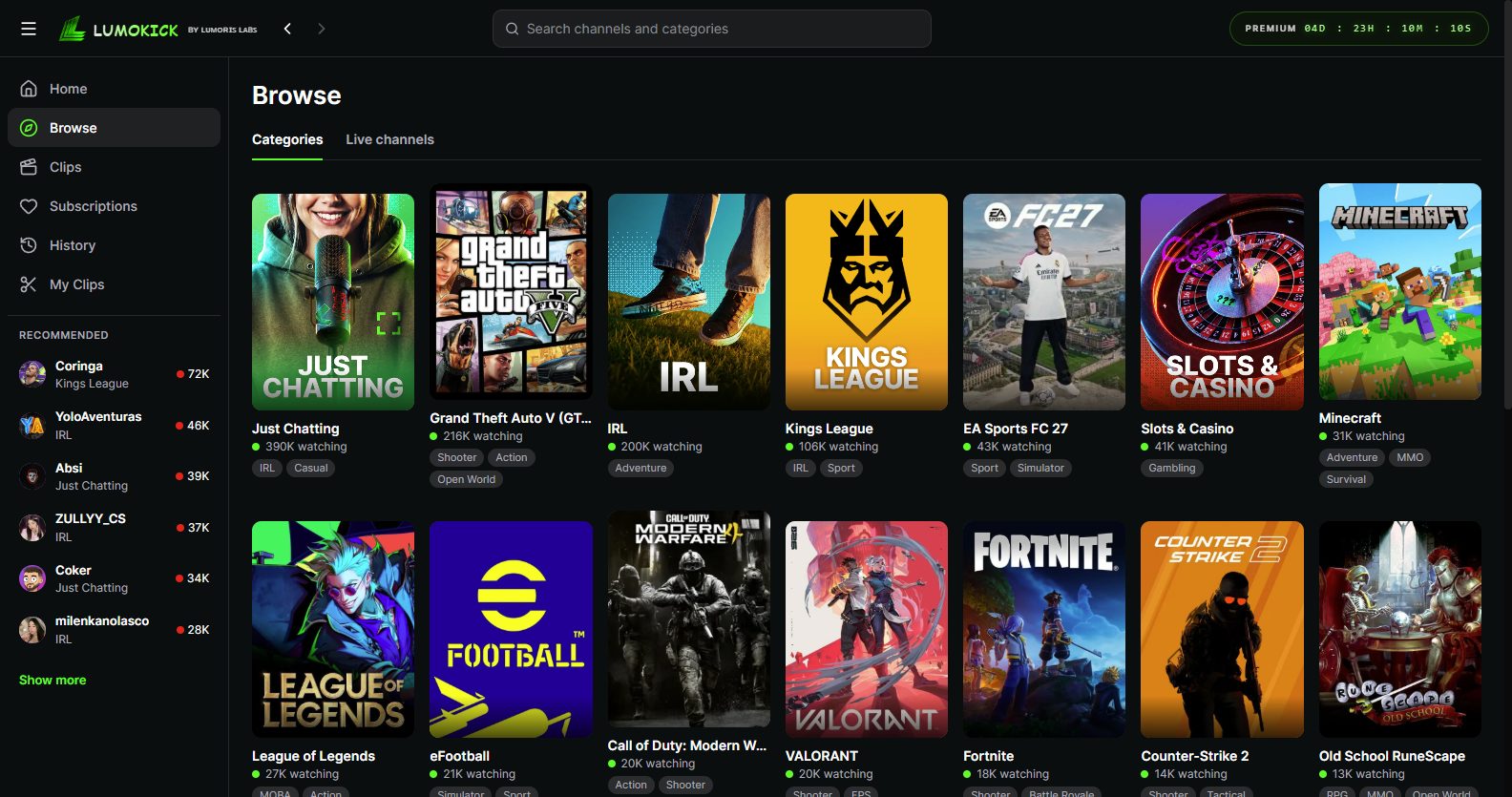
Browse live channels, follow streamers and watch with chat. The Lumoris Clip Engine records a rolling buffer so the moment you just saw is never lost.

  • Live browse, categories and followed channels
  • Live avatar ring on channels that are on air
  • Rolling buffer, clip the last 10 to 200 seconds
  • Follows saved to your account
LumoKick home
LumoKick browse
03LumoTwitch

Twitch, built
for clipping.

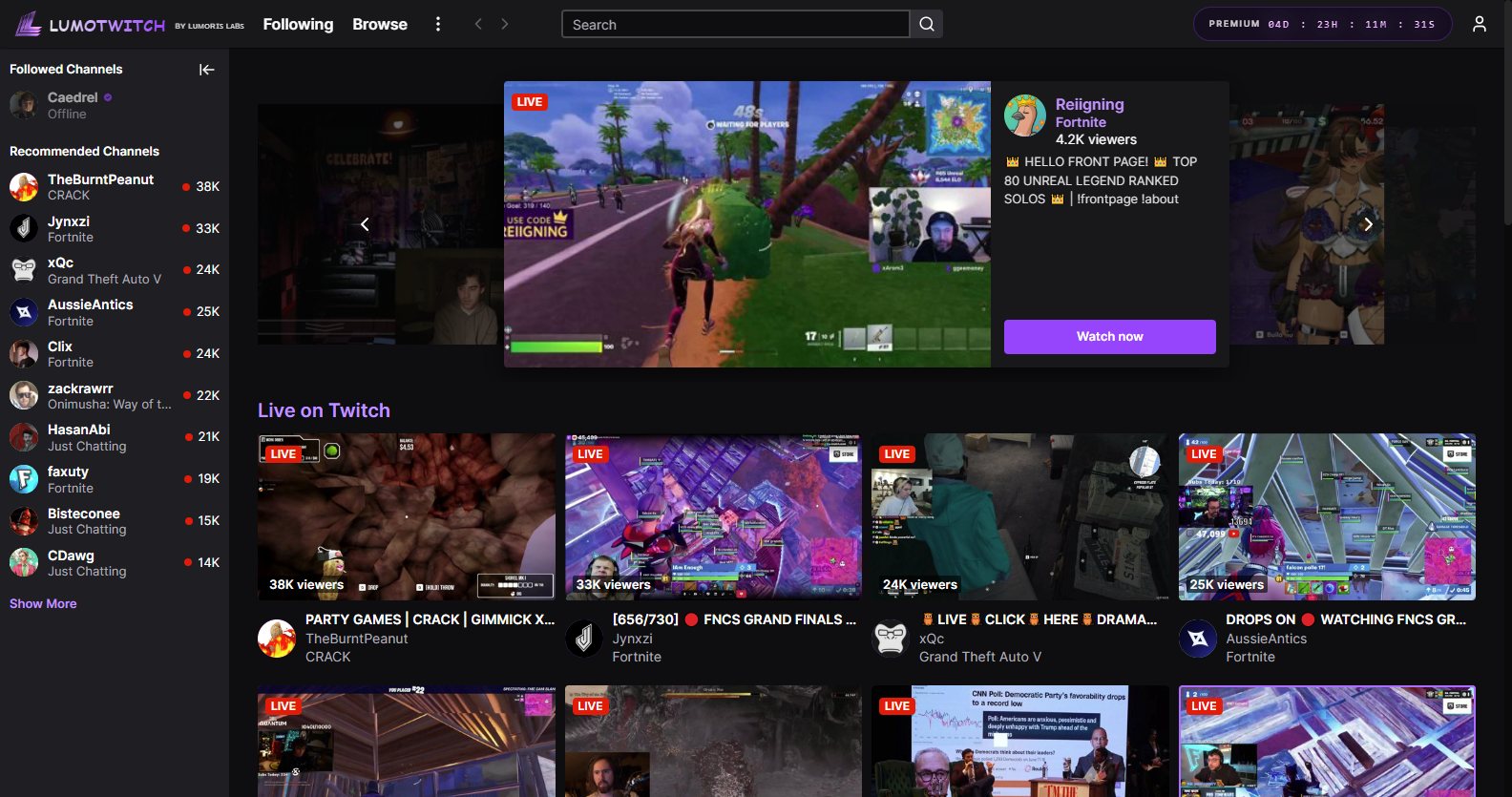
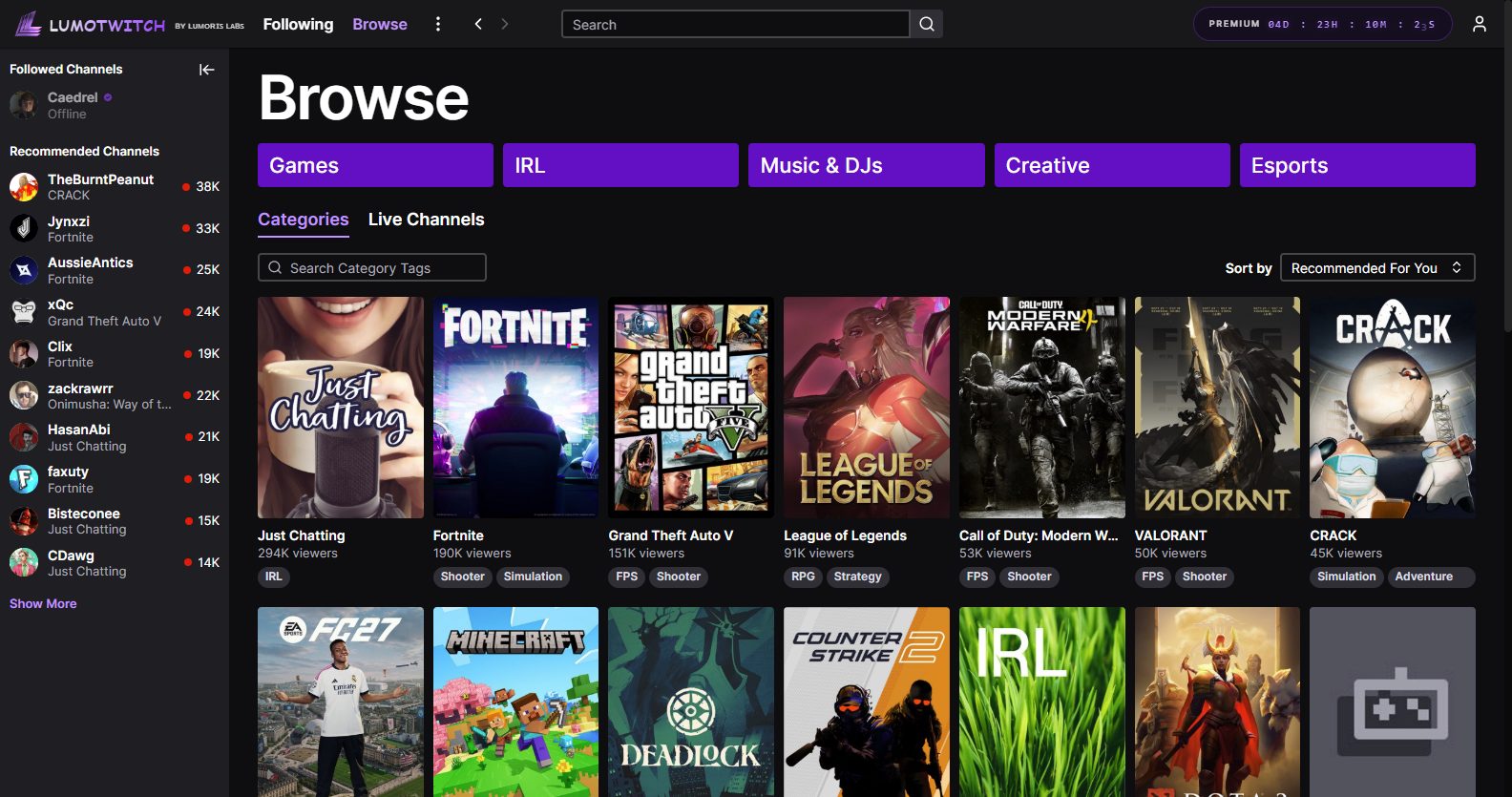
Smooth, uninterrupted playback with the same recording panel as Kick. Follow channels, browse categories and clip the play the second it happens.

  • Browse live streams and categories
  • Smooth playback, no interruptions
  • Same clip panel, same buffer, same editor
  • Follows and history synced to your account
LumoTwitch home
LumoTwitch browse
Lumoris Clip Engine

Blazing fast,
measurably.

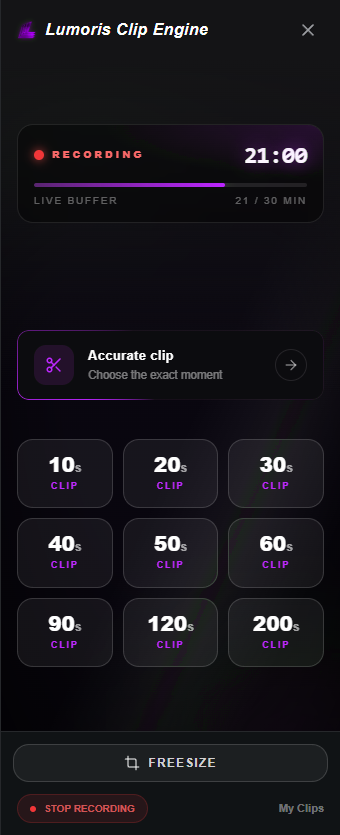
The engine records the stream in the background while you watch. When something happens, one click saves it. No scrubbing, no screen recorder, no lost moments.

LUMORIS CLIP ENGINE
Lumoris Clip Engine recording panel
Clip saved
Live buffer21 / 30 MIN
21:00
Clip last

Try it. Pick a length and the engine saves that much, instantly.

CALIBRATING THE ENGINE
Lumoris Clip Engine loading animation
ZERO RE-ENCODE WAIT
1 click.

The buffer is already on disk. Pick a length and the clip is ready to edit the same second.

Under the hood

From stream
to clip, in four.

No screen recording, no upload, no waiting. The engine works from the stream itself, so clips stay sharp and instant.

01

Capture

The engine attaches to the live stream you are already watching. Nothing extra to launch.

NATIVENO OVERLAY
02

Buffer

Up to 30 minutes are kept in a rolling window on your own disk. Old footage rolls off automatically.

30 MINON DISK
03

Cut

Choose 10 to 200 seconds, or pick the exact moment with Accurate clip. The cut is made from the buffer.

10–200SACCURATENVENC
04

Export

Open it in the editor, reframe for vertical, add sound and text, then export in one pass.

9:16MP4 · MP3NVENC
30 minRolling buffer window
200sLongest single clip
4 ratios9:16, 1:1, 4:5 and 16:9
0 uploadsEverything stays on your PC
Editor

Clip it.
Cut it. Ship it.

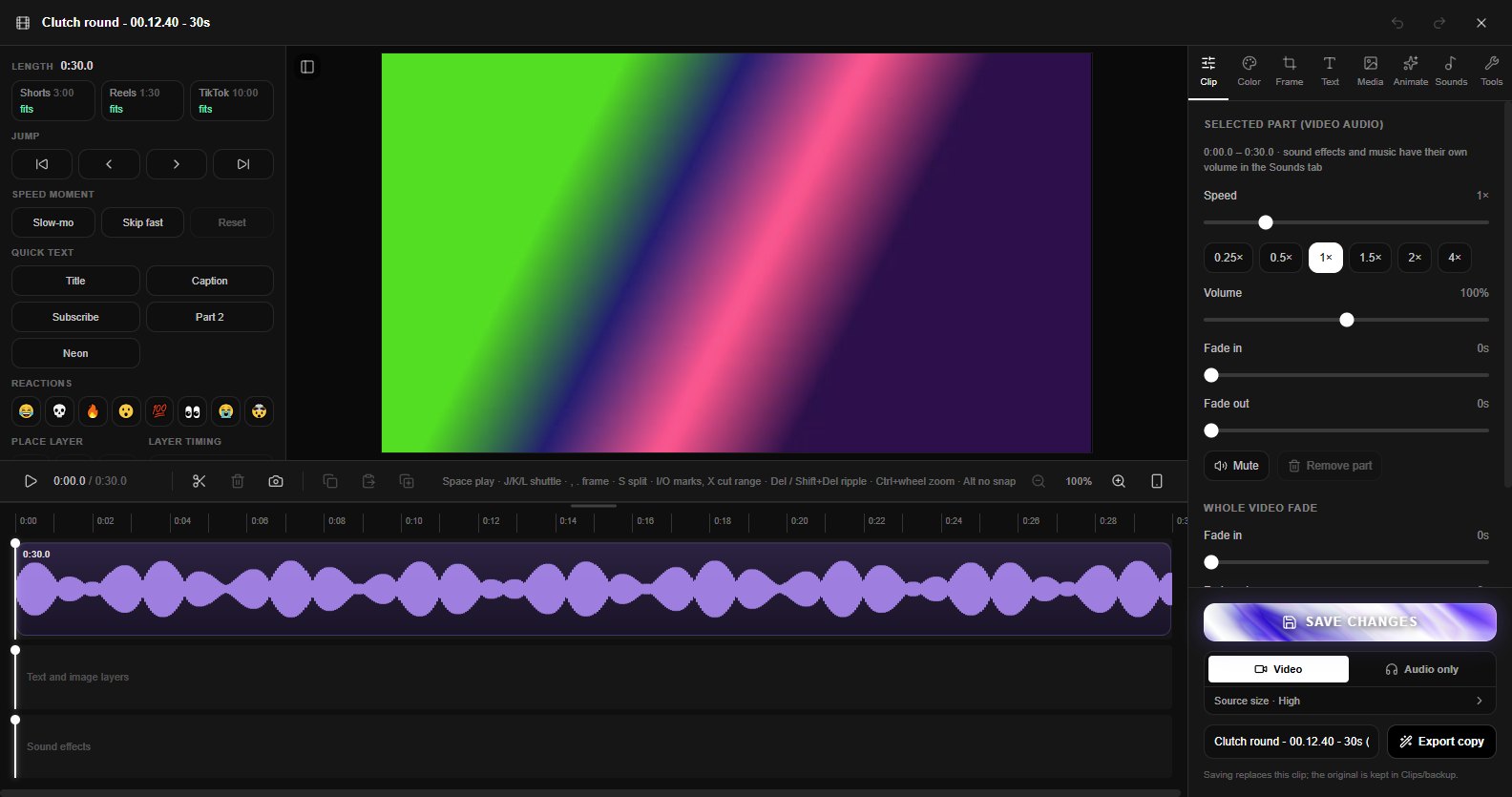
Every clip opens in a full timeline editor. Trim, reframe for vertical, add sound, export.

EDITOR
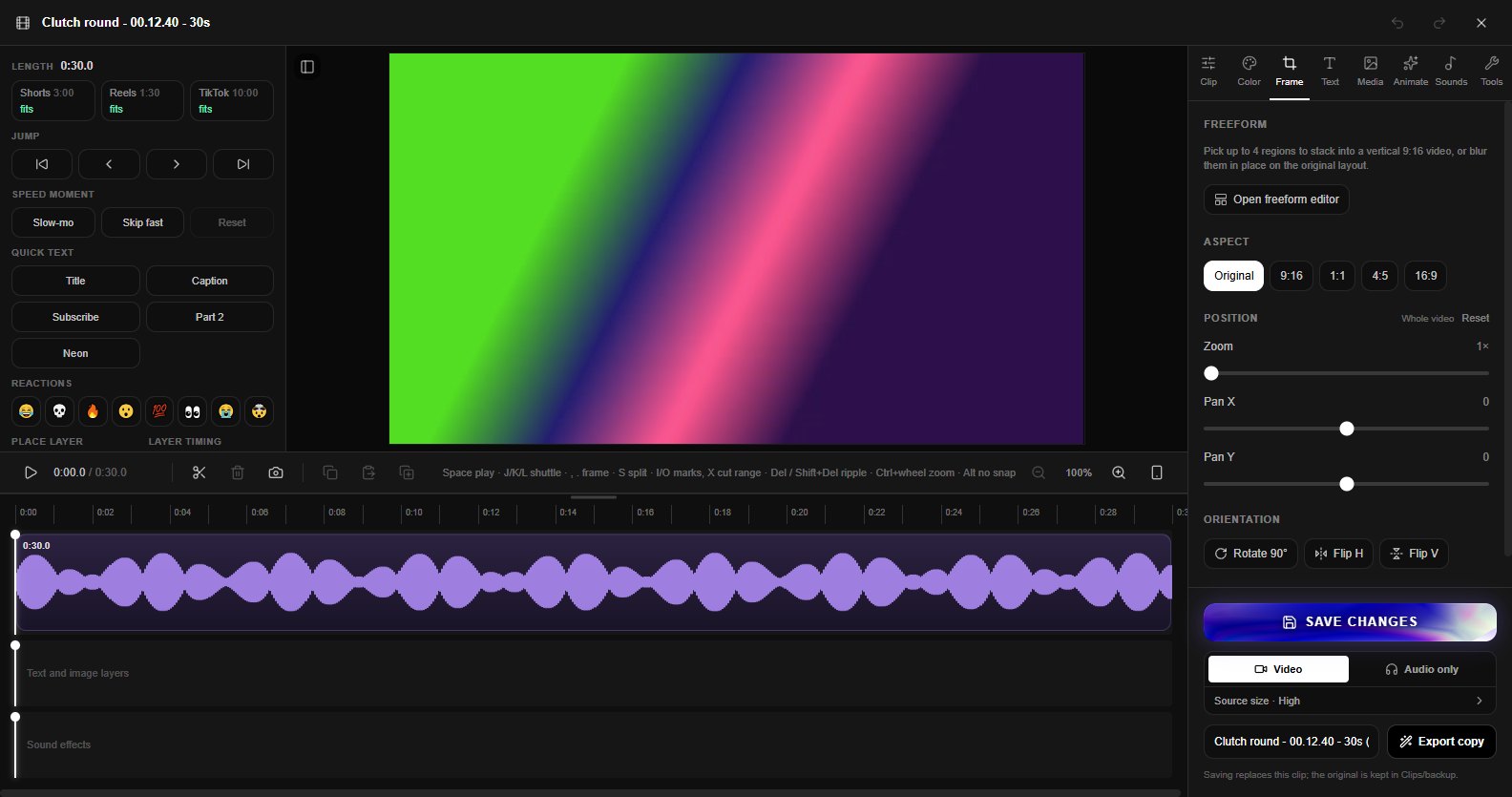
LumoClip editor timeline LumoClip freeform frame editor
01

Aspect ratios

9:161:14:516:9
02

Freesize layouts

Drag, scale and crop the video inside any frame. Blurred fills and custom backgrounds.

03

Sounds

Layer music and effects on their own tracks, with per-track volume.

04

Speed and fades

Ramp speed up or down and fade in and out, frame accurate.

Features

Everything,
nothing extra.

01

Account sync

Follows, history and settings live on your account and follow you to any machine.

02

Mini player

Pop any stream or video into a floating window and keep browsing.

03

Discord Rich Presence

Show what you are watching or clipping on your Discord profile.

04

Audio-only to MP3

Listen without video, or export the audio of anything as an MP3.

05

Live avatar ring

See at a glance which of your followed channels are on air right now.

06

Signed auto-updates

Updates are cryptographically signed and install quietly in the background.

07

Built for NVIDIA RTX

Clip cuts and editor exports run on NVENC hardware encoding in H.264 and HEVC, so renders finish fast and your CPU stays free. Without an NVIDIA GPU, LumoClip falls back to the CPU automatically.

H.264HEVCNVENCAUTO FALLBACK
08

Your clips,
your folder.

Everything is saved locally. No upload queue, no waiting on a server. Open a clip, edit it, export it.

LOCAL FIRSTNO UPLOADYOURS
Why LumoClip

Not another
screen recorder.

Screen recorderLumoClip
Catches moments you didn't plan forNoYes
Records only the stream, not your desktopNoYes
Clip ready to edit instantlyRe-encodeYes
Vertical reframing built inSeparate appYes
YouTube, Kick and Twitch in one placeNoYes
GPU-accelerated cuts and exportsVariesNVENC
Clips stay on your own PCVariesAlways
Who it's for

Built for people
who watch closely.

01

Streamers

Clip your own highlights the second they happen and post them before the stream ends.

KICK · TWITCH
02

Editors and mods

Pull moments from any channel you follow and send them straight to a cut.

TIMELINE
03

Short-form creators

Turn long streams and videos into 9:16 shorts with the Freesize editor.

9:16
04

Fans

Never lose the play you just saw. Save it, keep it, share it with friends.

YOUTUBE · KICK · TWITCH
FAQ

Questions,
answered.

Which platforms does it support?

YouTube, Kick and Twitch, all inside one desktop app. Live clipping with the rolling buffer works on Kick and Twitch. YouTube videos can be clipped from any point.

How does the rolling buffer work?

While you watch a live stream, the Lumoris Clip Engine keeps the last 30 minutes on your disk. When you press a clip length, it cuts that section out of the buffer and opens it in the editor.

Does it upload my clips anywhere?

No. Clips are saved to a folder on your PC. Nothing is uploaded unless you choose to share it yourself.

Can I make vertical shorts?

Yes. The editor has 9:16, 1:1, 4:5 and 16:9 frames plus the Freesize layout, where you can drag, scale and crop the video inside any frame.

What is the difference between Lite and Premium?

Lite covers off-stream clips and videos, exported up to 720p60 with a watermark. Premium adds live buffer clipping and full quality exports without a watermark.

Is it affiliated with YouTube, Kick or Twitch?

No. LumoClip is an independent app by Lumoris Labs. All platform names and trademarks belong to their owners.

Do I need an NVIDIA GPU?

No. LumoClip is built to take full advantage of NVIDIA RTX and GTX cards through NVENC hardware encoding, which makes cuts and exports much faster. On other hardware it falls back to CPU encoding automatically, so everything still works.

Which systems does it run on?

Windows for now. Other systems are not announced yet.

Plans

Pick your
level.

PREMIUM LITE

Off-stream clips.

Everything you need to clip and edit videos and recordings.

  • YouTube, Kick and Twitch browsing
  • Clip and edit off-stream videos
  • Export up to 720p60, 128 kbps
  • LumoClip watermark on exports
Coming soon
PREMIUM

The full engine.

Live buffer clipping and the whole editor, with no limits.

  • Everything in Lite
  • Live clipping on Kick and Twitch
  • 30 minute rolling buffer
  • Full quality exports, no watermark
Coming soon
Availability

Coming
soon.